Drug schedules
Drug schedules are the official categories that governments use to classify controlled medicines. If you run a pharmacy, you can tag your products with their schedule so your records stay tidy and compliant. If you don't sell medicines, you can ignore this page entirely.
This is a pharmacy feature. If your shop is a general store, supermarket or anything other than a pharmacy, you won't need drug schedules — skip this page.
Overview
Many countries place medicines into legal schedules — categories that say how tightly a drug is controlled and what rules apply to selling it (for example, which ones need a prescription or extra record-keeping). India's Schedule H and Schedule X are well-known examples; other countries have their own equivalents.
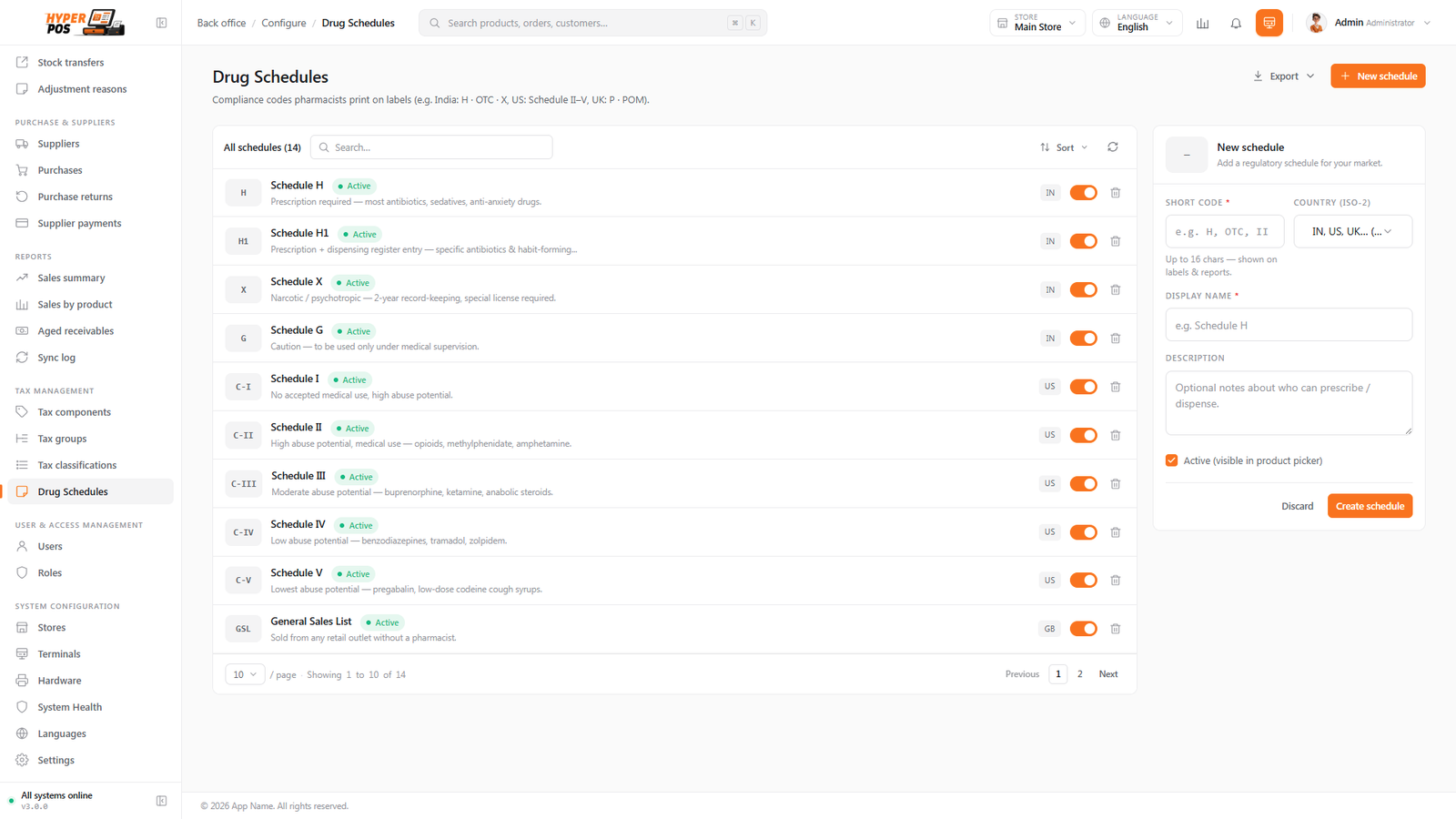
The POS lets you create those schedules and tag each medicine with the one it belongs to. The schedule then travels with the product, so your catalogue and records show, at a glance, which items are controlled. It's a record-keeping and compliance aid — a way to keep your inventory honest about what it contains.
Why it's useful
- It keeps you compliant. Controlled medicines are labelled as such in your system, supporting the records the law expects you to keep.
- It's clear to your staff. Anyone looking at a product can see its schedule and know it needs extra care.
- It's tidy. Your medicine catalogue is organised by how each drug is regulated, not just by name.
How to use drug schedules, step by step
-
Open Drug Schedules
Under Tax Management in the sidebar, click Drug Schedules.
-
Add the schedules you need
Create a row for each official category that applies in your country — for instance "Schedule H" or "Schedule X". Give each a clear name so it's obvious what it means.
-
Tag your medicines
On a product's form (see Products), choose its drug schedule. From then on, that medicine carries its schedule wherever it appears.
Tips & best practices
- Match your local law. Use the exact schedule names your country's regulations use, so your records line up with what inspectors expect.
- Set the schedule when you add a medicine. Tagging it once, at the point you create the product, saves you a clean-up later.
- Pair it with batch tracking. Controlled medicines often need expiry and batch records too — see Batches & expiry.
Notes & warnings
This feature records the schedule; it doesn't replace your legal duties. Tagging a medicine helps you keep good records, but you remain responsible for following the prescription, storage and reporting rules that apply where you operate.
Related: Products · Batches & expiry